Search
Search apps, authors and games

Downloads
6.1K
6,141 total
7-day gain
+1.2K
24.24%downloads vs. 7 days ago
Rating
5.0
3 ratings
Store updated
Oct 11, 2026
v2.0.35 · 17 MB
Snapshots are recorded when the store counter changes; flat segments mean no observed change.
Oct 11, 2026
Version v2.0.33 → v2.0.35
Oct 1, 2026
Version v2.0.32 → v2.0.33
Sep 16, 2026
Version v2.0.31 → v2.0.32
Sep 14, 2026
Version v2.0.30 → v2.0.31
Sep 13, 2026
Version v2.0.29 → v2.0.30
Version v2.0.27 → v2.0.29
Sep 12, 2026
Version v2.0.26 → v2.0.27
Sep 10, 2026
Version v2.0.24 → v2.0.26
Version v2.0.23 → v2.0.24
Version v2.0.15 → v2.0.23
Sep 9, 2026
Version v2.0.12 → v2.0.15
Version v2.0.0 → v2.0.12
Sep 8, 2026
Version v1.7.23 → v2.0.0
Sep 7, 2026
Version v1.7.22 → v1.7.23
Sep 4, 2026
Version v1.7.21 → v1.7.22
Sep 1, 2026
Version v1.7.19 → v1.7.21
Aug 29, 2026
Version v1.7.14 → v1.7.19
Version v1.7.6 → v1.7.14
Aug 27, 2026
Version v1.7.4 → v1.7.6
Aug 25, 2026
Version v1.7.3 → v1.7.4
Version v1.7.1 → v1.7.3
Version v1.5.2 → v1.7.1
Aug 23, 2026
Version v1.5.1 → v1.5.2
Aug 21, 2026
Version v1.5.0 → v1.5.1
Aug 20, 2026
Version v1.4.0 → v1.5.0
Version v1.3.4 → v1.4.0
Screenshots +5 screenshots, −5 screenshotsshowhide

Removed 
Removed 
Removed 
Removed 
Removed 
Added 
Added 
Added 
Added 
Added
Aug 19, 2026
- Listed on the store

- v2.0.35Oct 11, 2026
- v2.0.33Oct 1, 2026
- v2.0.32Sep 16, 2026
- v2.0.31Sep 14, 2026
- v2.0.30Sep 13, 2026
- v2.0.29Sep 13, 2026
- v2.0.27Sep 12, 2026
- v2.0.26Sep 10, 2026
- v2.0.24Sep 10, 2026
- v2.0.23Sep 10, 2026
- v2.0.15Sep 9, 2026
- v2.0.12Sep 9, 2026
- …and 14 earlier
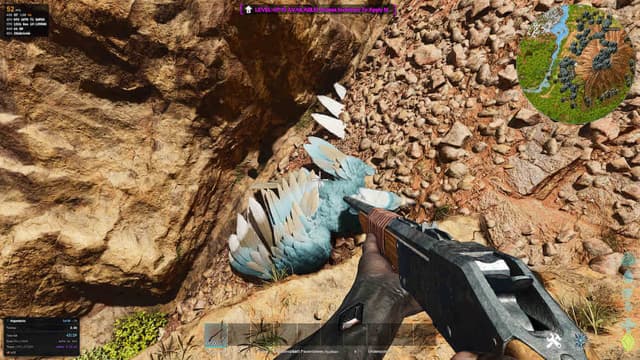
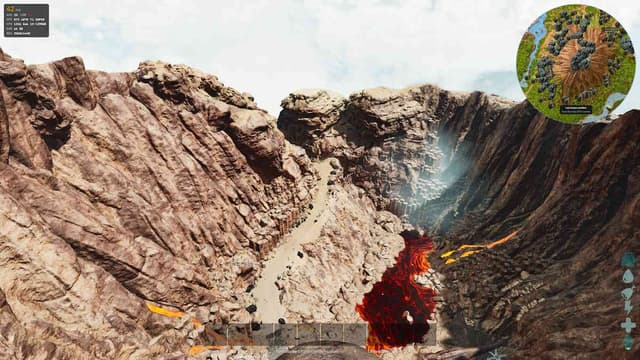
Wikily is an in-game companion for ARK: Survival Ascended. Everything you normally alt-tab for is one hotkey away.
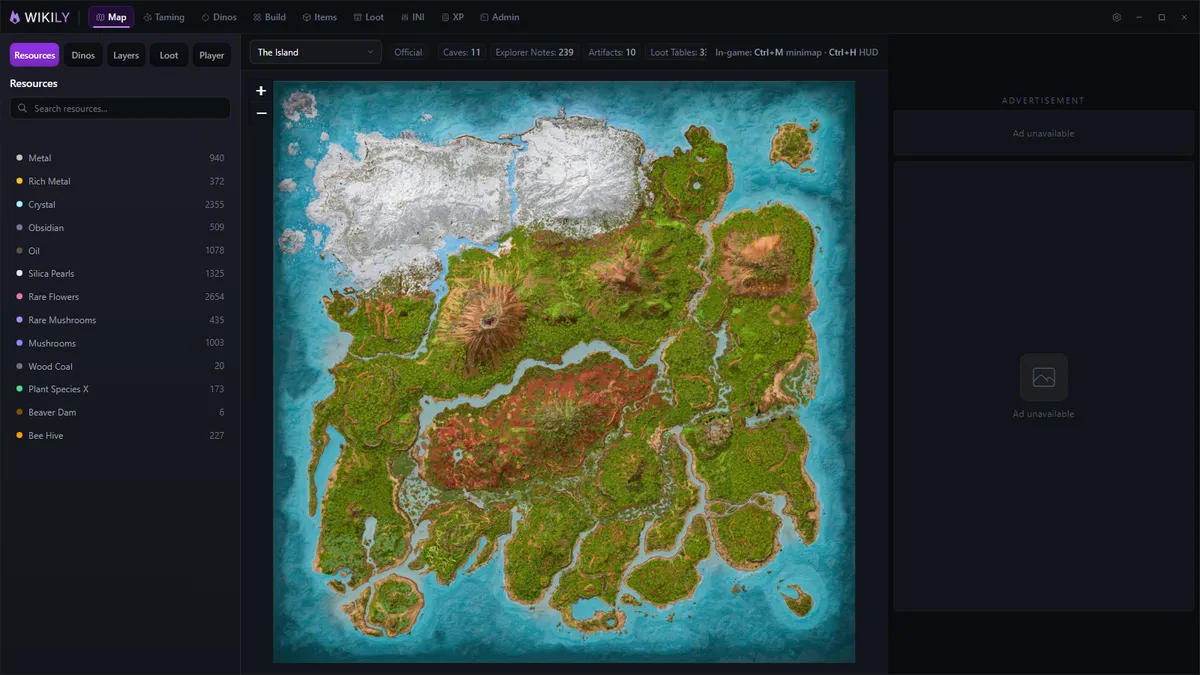
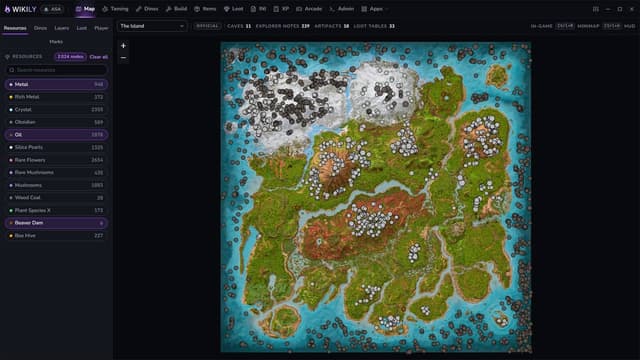
INTERACTIVE MAPS Every map in the game, with layers you can toggle: resource nodes, creature spawns, caves, explorer notes, artifacts and loot crates. Pick a map, filter it down to what you actually need, and read it without leaving the server.
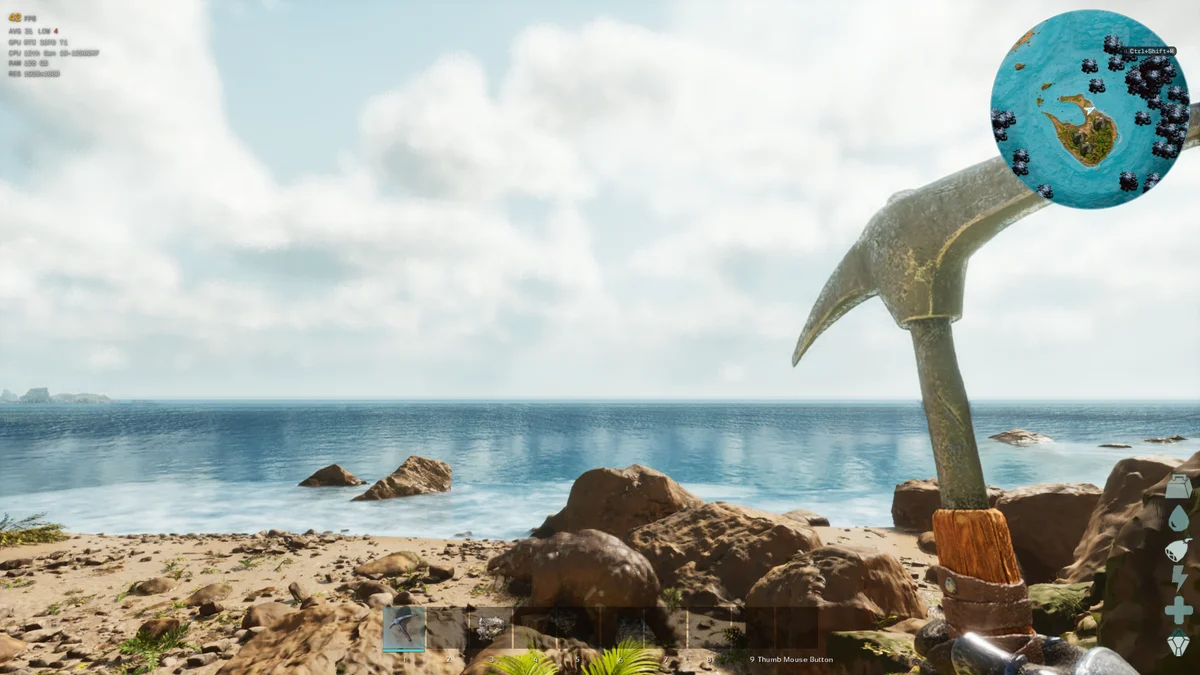
IN-GAME MINIMAP A minimap overlay that shows your live position and heading while you play. Resize it, zoom it and drag it wherever it fits your HUD. It stays click-through, so it never gets in the way of your mouse.
TAMING TRACKER Knock a creature out, open its inventory, and the tracker picks it up on its own: species, level, sex, taming progress, torpor and the food you put in. It works out the time to tame for your server rates, counts down the next bite, and warns you when the creature will wake up before the tame is finished. The cards float over the game so you can keep playing while it runs.
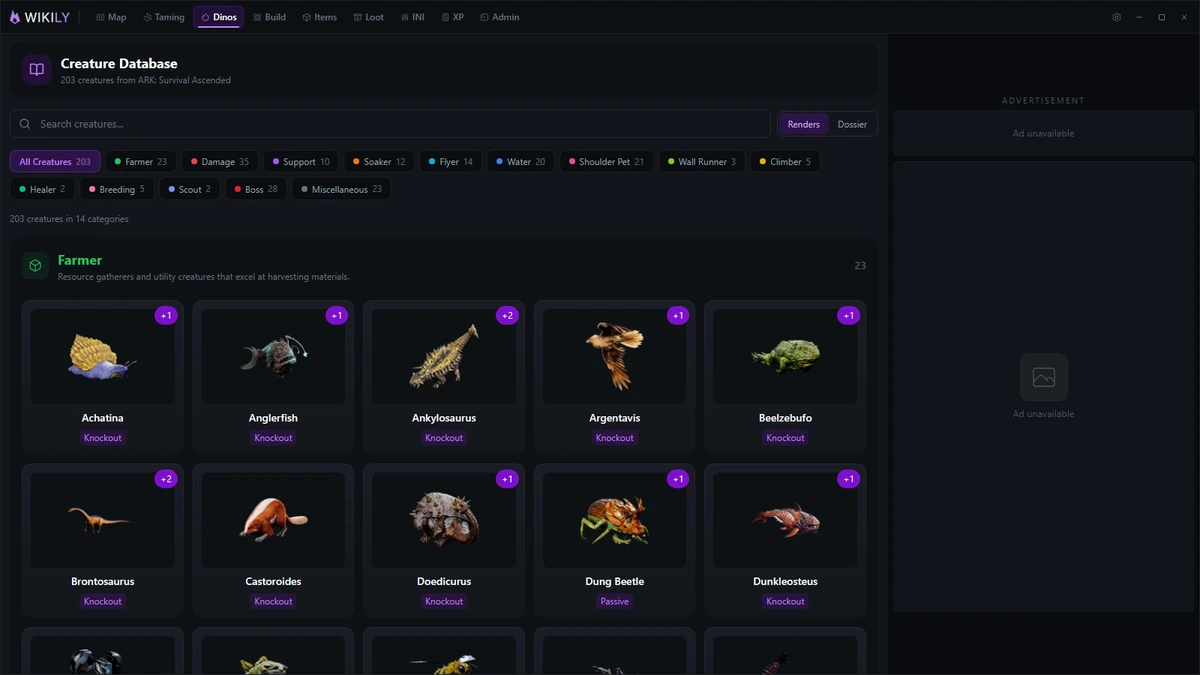
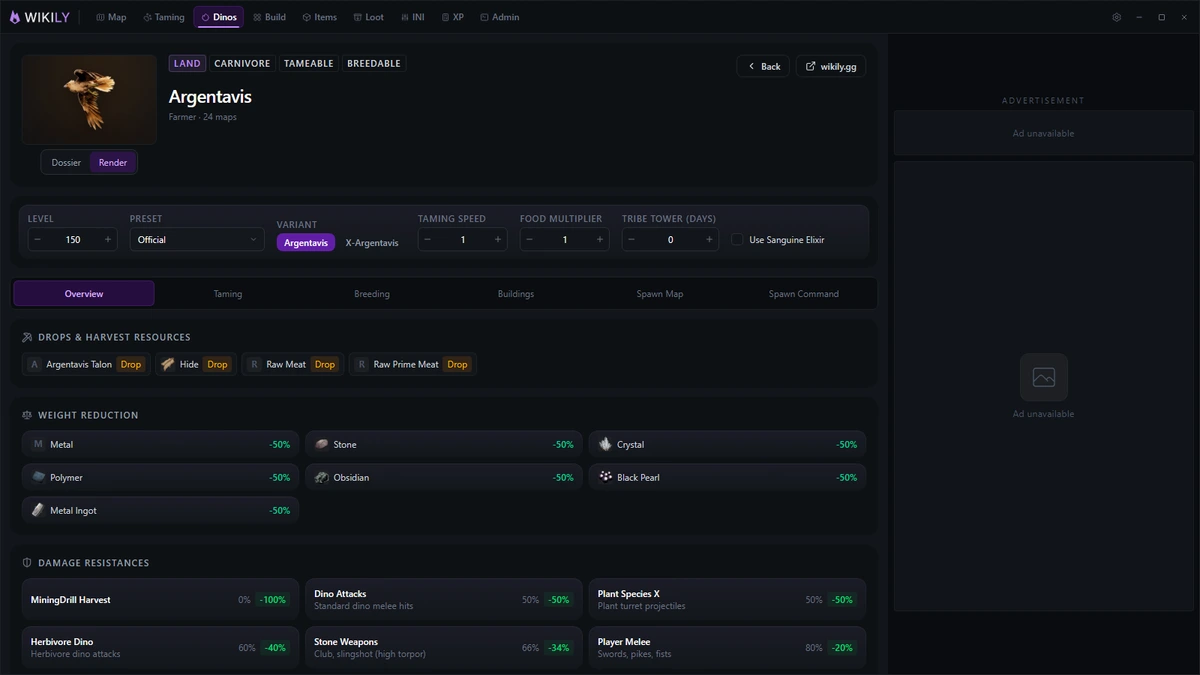
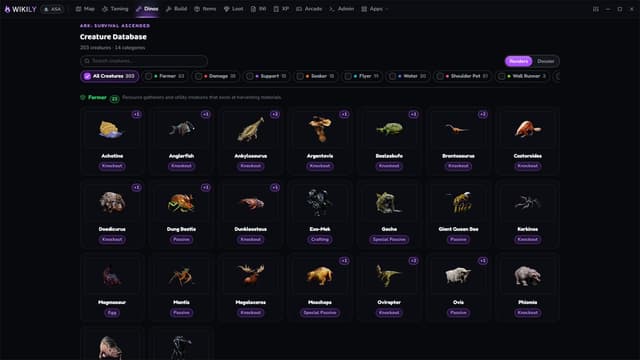
CREATURE DATABASE 203 creatures across 14 categories. Base stats and per-level growth, taming food tables with effectiveness and time for every food, knockout weapon counts and death chance, breeding and maturation times, spawn maps, and spawn commands ready to copy.
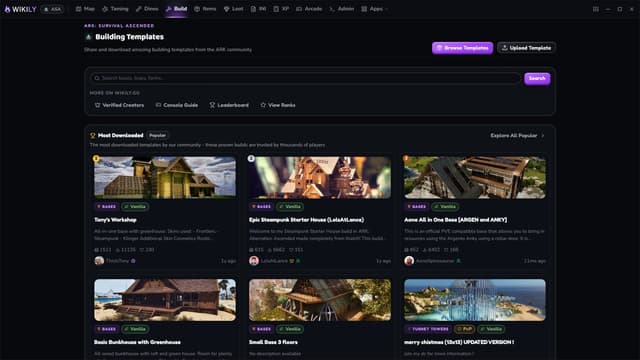
ITEMS, STRUCTURES AND BUILDING Full item reference with crafting requirements, stats and spawn commands, plus build templates for the structures you put up most often.
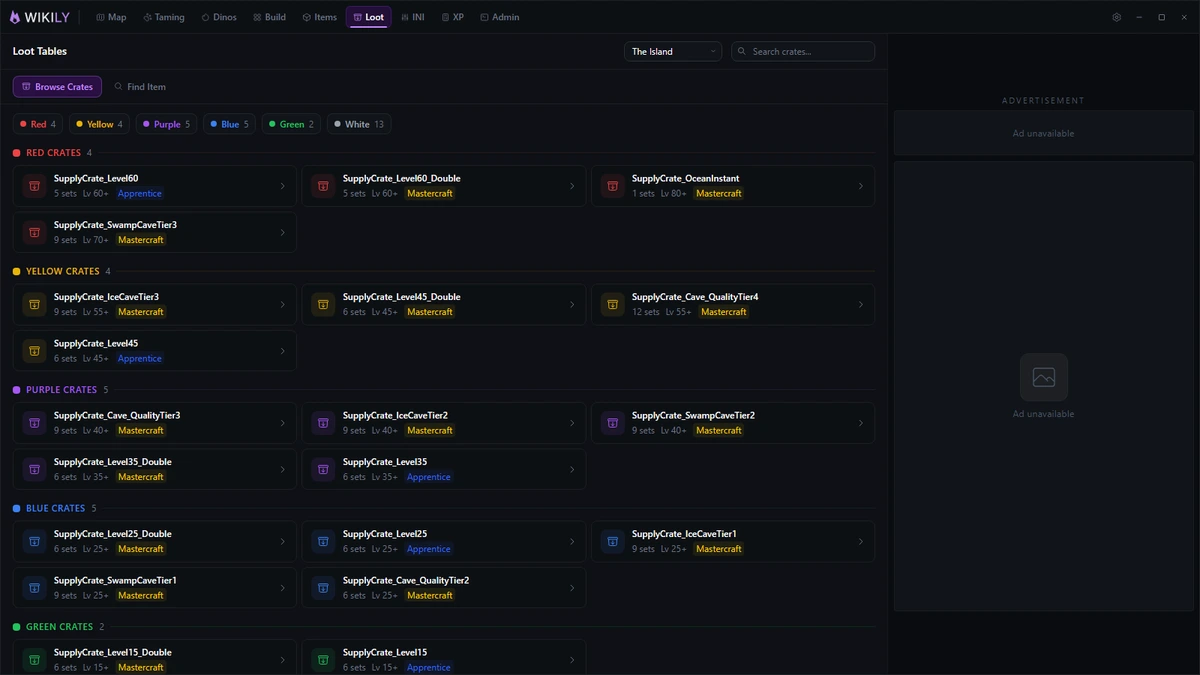
LOOT SIMULATOR Roll supply crates, cave loot and boss rewards the way the game rolls them, including quality ranges, so you know what a drop can actually contain before you fly out to it.
TOOLS An XP calculator, a server INI generator for the settings people usually get wrong, and an admin command reference with the syntax filled in for you.
PERFORMANCE HUD FPS, GPU, CPU and RAM in a small overlay you can click straight through. Switch individual rows off and scale the text to taste.
SECOND SCREEN On a multi-monitor setup the companion moves itself to the screen ARK is not running on and stays usable while you play. It returns to its usual monitor when you close the game. Turn the behaviour off in Settings if you would rather it stayed put.
HOTKEYS Shift+F9 opens the menu, Ctrl+M toggles the minimap, Ctrl+H toggles the performance HUD, and each overlay has its own hotkey to unlock it for dragging. Every one of them can be rebound from the app's own settings, no need to go hunting through the client.
The overlays only appear during actual gameplay. They stay hidden on the launcher, on loading screens, on the main menu and while you are alt-tabbed.
The taming tracker and live position read the game's own screen on your PC. No mods, no game files are touched, and nothing is uploaded anywhere.
- App ID
- eajdcfbijfoodllmgjaboaagahieobkaiikobdii
- SEO name
- wikily.gg-wikily
- First tracked
- Last seen in store
- Latest snapshot